Small law firms operate under a paradox: the attorneys who generate the most value for clients are also the ones fielding "Where does my case stand?" calls, chasing down billing summaries, and copy-pasting notes from a practice-management system into a client-facing email. Automated matter status reporting for small law firms directly attacks that paradox — pulling structured data from where it already lives, shaping it into a clear narrative, and delivering it to the right people without requiring a paralegal to spend two hours every Monday building the same report from scratch.
This article explains how the automation works in practice, where it adds the most leverage in a boutique firm, and what to consider before rolling it out.
Why Manual Matter Reporting Breaks Down at Scale
A solo practitioner or a five-attorney firm can, in principle, keep all active matters in their head. The moment the caseload grows past a manageable threshold — or when a partner leaves and institutional knowledge walks out the door — that mental model becomes a liability.
Manual reporting creates several compounding problems:
- Inconsistency. Different attorneys describe the same procedural milestone differently. A client moving from an employment firm to a family-law practice for a new matter has no frame of reference for what "discovery is wrapping up" actually means in terms of time or cost.
- Lag. Attorneys often update case notes reactively — after a client calls, not before. That puts the firm perpetually behind the conversation rather than ahead of it.
- Unbillable time. Drafting status summaries, pulling billing data, and formatting it into readable emails is administrative labor. It does not accrue to a matter as billable time, yet it consumes real hours every week.
- Fragmentation. Notes may live in a practice-management platform like Clio, while billing data sits in QuickBooks, deadlines are tracked in a shared calendar, and document versions are buried in a folder hierarchy. Assembling a coherent picture requires touching all of those systems manually.
These are solvable problems. They are not unique to law — they appear in any service business where client engagements run over weeks or months — but the confidentiality requirements, jurisdictional deadlines, and billing complexity of legal work make the stakes higher than in most industries.
What an Automated Client Matter Reporting Workflow Actually Does
Automation here is not about replacing attorney judgment. It is about removing the clerical steps that happen before and after that judgment is exercised.
A well-designed client matter reporting workflow typically does the following:
1. Pulls data from canonical sources on a schedule
Rather than waiting for an attorney to remember to update a status field, an automated system reads from wherever the data already lives — a practice-management platform's API, a billing system's export, a court docketing feed — on a defined cadence. This might be nightly, or triggered by a specific event like a new document filing.
2. Classifies and structures the raw data
Raw activity logs are not client communications. An AI layer translates entries like "Reviewed deposition transcript, 2.4 hrs" into a status-level summary that is meaningful to a non-lawyer: "Review of key witness testimony is complete; we are now preparing questions for the next phase of discovery." The language can be calibrated to the firm's voice and to the sophistication level of a given client.
3. Applies firm-specific rules and thresholds
Not every update warrants a client-facing message. A well-configured system knows that a minor internal note does not trigger a report, but a deadline within 14 days, a newly filed opposition brief, or a billing total crossing a defined threshold does. These rules are set by the firm, not by the software.
4. Routes the output to the right channel
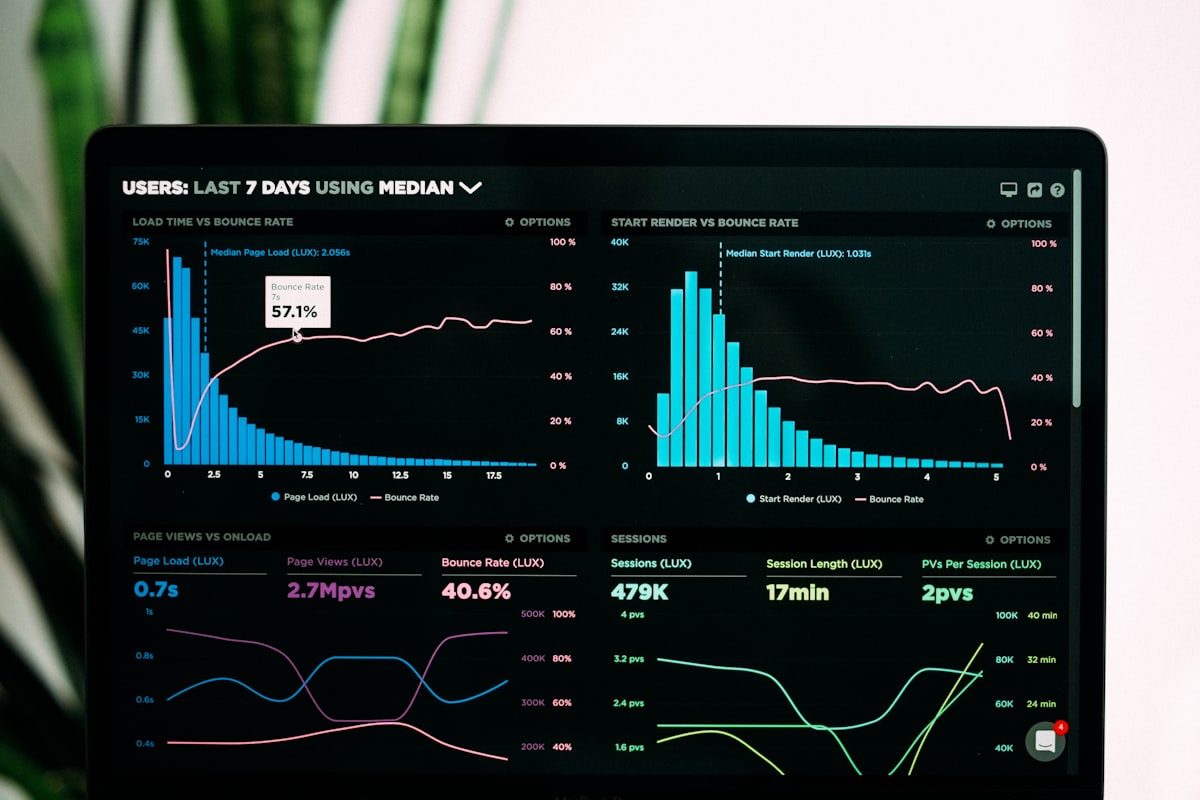
Some clients want a weekly email digest. Others have access to a client portal where they can check status on demand. A law firm dashboard built on top of the same data can give partners a real-time view across all active matters without any manual compilation. The same data layer serves multiple outputs simultaneously.
5. Logs what was sent and when
For compliance and relationship management, every automated communication is recorded. If a client later claims they were not informed of a deadline, the firm has a timestamped log of what was sent, to which contact, and through which channel.
Clio Matter Reporting as a Starting Point
Clio is widely used among small and mid-sized firms precisely because it captures the activity data that matters most: time entries, matter notes, task completions, billing summaries, and document activity. Clio matter reporting via the platform's API is a natural starting point for automation because the data is already structured and accessible.
For example, a firm might configure an automation that:
- Queries all open matters in Clio every Sunday evening
- Pulls the time entries, task statuses, and any new notes from the previous seven days
- Uses an AI model to draft a plain-language summary for each matter
- Sends that summary to the responsible attorney for a 60-second review before it goes to the client
The attorney review step is deliberate. Automated content generation reduces errors compared to hasty manual drafting, but a trained eye should still confirm that nothing sensitive or strategically premature has been surfaced. The automation handles the 80 percent — assembling, structuring, and drafting — so the attorney only provides the 20 percent that requires professional judgment.
Billable Hours Reporting: Closing the Loop for Clients
One of the most common sources of client friction in small law firms is billing opacity. Clients who do not understand what they are paying for are more likely to dispute invoices, delay payment, and ultimately not return.
Automated billable hours reporting can close that loop proactively. Consider a litigation boutique that sends clients a brief mid-month summary: which tasks were worked on, how many hours were logged, what the running total against their retainer looks like, and what is anticipated in the coming two weeks. Clients who receive that communication regularly are less surprised when the invoice arrives and more likely to understand the relationship between legal activity and cost.
This is not the same as sending a raw billing export. The value is in the translation — taking the line-item detail from the billing system and presenting it in a narrative form that gives context to the numbers.
Building a Law Firm Dashboard That Actually Gets Used
Dashboards fail when they are built for the person who wanted the dashboard rather than for the person who has to use it every day. A partner at a small firm checking in from a courthouse hallway does not want a 14-panel analytics interface. They want to see:
- How many active matters are in each stage
- Which matters have upcoming deadlines in the next 30 days
- Which clients have outstanding invoices beyond a certain age
- Whether any matter has gone more than two weeks without a logged activity
A law firm dashboard built on automated data collection can surface those four things in under 10 seconds. The underlying data pipeline — pulling from the practice-management system, the billing platform, and a calendar feed — runs in the background. The dashboard is just the surface.
The practical implication is that the dashboard design should follow a conversation with the attorneys who will use it, not a vendor's feature list. The right questions are: What decisions do you make every Monday morning? What information do you not have when you make them? Those gaps define the dashboard requirements.
Implementation Considerations Before You Begin
Automation does not improve a broken process — it accelerates it. Before building a matter reporting workflow, a firm should be honest about a few things:
Is the source data reliable? If attorneys are inconsistent about logging time entries or updating matter stages, an automated report will surface that inconsistency at scale. The first phase of any implementation is often a data hygiene conversation, not a technology conversation.
What is the client communication standard? Automated legal client update automation should reinforce whatever communication cadence the firm has already committed to. If a firm promises monthly updates but has no formal process for delivering them, automation gives that promise a mechanism. If the promise itself is unclear, automation will not clarify it.
Who reviews before send? The review workflow matters. A system that sends without review is a liability. A system that requires 45 minutes of review per client defeats the purpose. The goal is a lightweight review step — one that an attorney can complete in under five minutes — that preserves professional accountability without recreating the manual process.
How does this interact with confidentiality obligations? Any AI system processing client data needs to operate within the firm's confidentiality framework. That means understanding where data is processed, whether it passes through third-party AI services, and what the firm's engagement letters say about electronic communication.
The Realistic Outcome
Firms that implement automated matter status reporting typically find that the visible benefit is not speed — it is consistency. Clients receive updates on schedule. Billing summaries go out before the invoice, not after. Attorneys spend less time in reactive communication and more time on the work that moves matters forward.
The less visible benefit is firmwide knowledge. When matter activity is logged systematically and reported through a structured workflow, the firm accumulates an institutional record that does not depend on any single attorney's memory or availability. That matters when a partner is on vacation, when a case is transferred, or when the firm is eventually acquired or wound down.
Intuitional builds custom automation workflows for professional services firms, including practice-management integrations, AI-assisted drafting pipelines, and client reporting systems. If your firm is spending more time on status updates than on billable work, schedule a conversation about your workflow to discuss where automation can close the gap.
Explore this topic further
Jump into the journal with one of the themes from this article.
Need clearer reporting and better operational signal?
We design dashboards, reporting layers, and decision-support systems that turn scattered data into usable visibility for the team running the work.