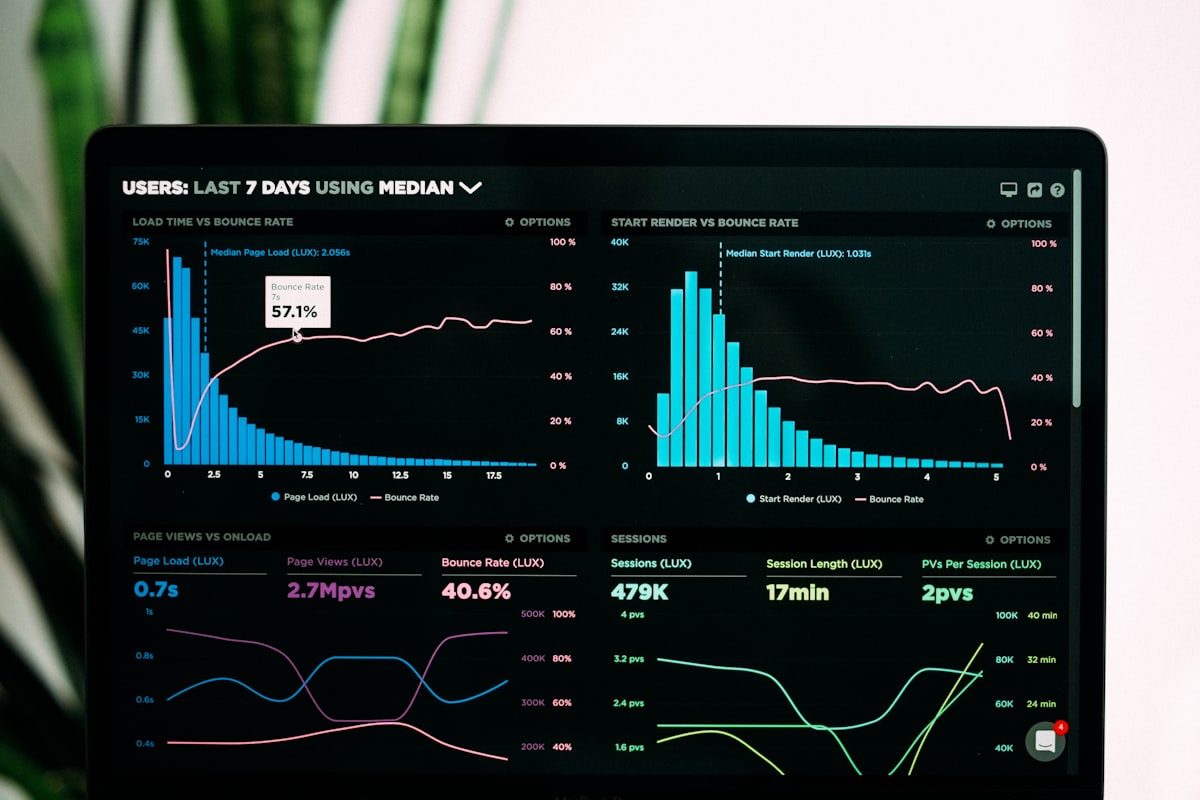
Every SEO agency hits the same wall eventually. You've built a solid book of retainer clients, the work is going well, and then month-end arrives — and someone on the team spends three to five days pulling data from Google Search Console, GA4, Semrush, and Ahrefs, pasting it into a slide deck, and formatting it into a client-presentable PDF. Multiply that by a dozen clients and you have a reporting bottleneck that consumes a meaningful slice of your margin. Automated client reporting for SEO agencies exists specifically to break that bottleneck — standardizing the data-collection process, reducing the manual hours required, and delivering cleaner reports to clients faster.
This article walks through what reporting automation actually involves, which tools and approaches make the most sense for different agency sizes, and what to watch out for before you commit to a reporting stack.
Why Manual SEO Reporting Doesn't Scale
The economics of a retainer-based SEO agency depend on throughput. Each account manager can only handle so many clients before reporting alone consumes their capacity for strategic work. Manual reporting also introduces consistency problems: the metrics pulled for Client A this month may be filtered slightly differently from last month's pull, or compared against the wrong date range, or exported from a cached version of the data source.
These aren't catastrophic errors, but they accumulate. A client who notices a discrepancy between the numbers in their report and the numbers in their GA4 account loses confidence — even if the underlying SEO performance is strong. Automation reduces these inconsistencies by fixing the data connectors, filters, and date logic once and applying them identically on every reporting cycle.
There's also the straightforward time argument. Consider a hypothetical agency managing twenty retainer clients, each requiring a monthly report. If a team member spends four hours per client on data gathering and formatting, that's eighty hours a month — roughly two full work weeks — devoted to a process that isn't directly billable or strategic. Automating even half of that work frees significant capacity.
Core Components of an Automated Reporting Stack
Automated client reporting for SEO agencies is not a single product. It's a workflow that typically combines several layers:
Data connectors pull raw metrics from your sources — Google Search Console, GA4, Google Ads, Semrush, Ahrefs, Moz, and any rank-tracking tool you use. These connectors authenticate once and refresh on a schedule you define.
A storage or transformation layer (optional, but recommended at scale) normalizes the data before it hits a dashboard. This might be a lightweight data warehouse like BigQuery or a simple Google Sheet acting as a staging table. Normalization matters because different tools report the same metric differently — for example, sessions in GA4 are not the same as sessions in UA, and comparing them without transformation produces misleading results.
A visualization and reporting layer presents the data to clients. This is where tools like Looker Studio (formerly Google Data Studio) do their heaviest lifting. Looker Studio SEO reports are free to build, connect natively to Google properties, and can pull from third-party connectors. Other agencies use Agency Analytics, DashThis, or Whatagraph — each with different pricing models and connector libraries.
A delivery mechanism sends the finished report or a live link to the client on a defined schedule. Some platforms send automated emails with a PDF snapshot; others share a persistent dashboard URL the client can bookmark.
Looker Studio for SEO Reporting: Strengths and Tradeoffs
Looker Studio is the most common starting point for agencies moving away from manual decks, and for good reason. It's free, it connects directly to Google Search Console and GA4 without a third-party bridge, and its template system means you can build a single report structure and copy it for each client.
The tradeoffs are real though. Non-Google data sources — rank tracking from Semrush or Ahrefs, backlink metrics, local listing data — require paid third-party connectors. Supermetrics, Windsor.ai, and Porter Metrics are the most widely used options. These connectors add monthly cost and occasionally experience API rate-limit or refresh issues that require manual intervention.
Looker Studio also doesn't send reports automatically; it shows live data when a client opens the URL. If your clients prefer a monthly PDF snapshot over a live dashboard, you'll need a separate automation step — a Zapier workflow, a scheduled Google Apps Script, or a dedicated PDF export tool — to handle delivery.
For many agencies, Looker Studio handles the Google-property reporting well and a supplemental tool (Agency Analytics, for example) handles rank tracking and non-Google metrics in a more integrated interface.
White-Label Reports and Client Perception
White-label client reports — meaning reports branded with your agency's logo and colors rather than the tool's branding — matter more than they might seem. A report that visibly says "Powered by [third-party tool]" signals to a sophisticated client that the data assembly is automated and invites questions about what value the agency is adding beyond running a software subscription.
Removing that tool branding and replacing it with a coherent agency brand positions the report as a deliverable your team has authored and interpreted, not just generated. Most paid reporting platforms (Agency Analytics, DashThis, Whatagraph) support white-labeling as part of their standard offering. Looker Studio supports custom logos and themes but requires more design work to look polished.
The report structure itself also contributes to perceived value. A good automated ranking report doesn't just show raw keyword position data — it surfaces movement since last month, highlights pages that gained or lost significant positions, and flags technical issues discovered during the period. Building that narrative structure into the template means clients receive context alongside data, not just a spreadsheet.
Scheduling and Monthly Retainer Reporting Cadence
Most SEO agencies operate on a monthly retainer reporting cadence, which maps cleanly onto automated scheduling. The key decisions are:
- When does the report pull data? Month-over-month comparisons require consistent pull dates. Pulling on the 1st of each month for the prior calendar month produces clean comparisons. Pulling on different days introduces noise.
- When does the client receive it? Early in the month (within the first week) is standard. Clients want to see last month's results before the new month is well underway.
- Does the client get a live link, a PDF, or both? Live dashboards are more flexible but require clients to log in or have a URL. PDFs are portable and can be attached to a client call agenda. Some agencies send both — an automated PDF on the 3rd, with a standing dashboard URL for clients who want to check in mid-month.
Automating the scheduling means setting these parameters once per client during onboarding and letting the system handle execution. The account manager's role shifts from data assembly to interpretation: reviewing the auto-generated report before it goes out, adding a short written commentary, and flagging any anomalies the data surfaces.
Agency Performance Reporting Beyond Rankings
A common mistake when first building automated reporting workflows is over-indexing on rank tracking. Rankings are visible and satisfying to report — but they're a lagging indicator, and sophisticated clients understand that. Agency performance reporting that earns retention typically includes:
- Organic traffic trends — sessions, users, and their composition by landing page and device
- Conversion-side data — goal completions, form submissions, calls, or revenue tied to organic traffic
- Technical health indicators — Core Web Vitals scores, crawl coverage, index status
- Content performance — which pieces are driving traffic, which are stagnating
- Backlink velocity — new links acquired, referring domain growth, and any toxic link flags
Pulling all of this into a single automated dashboard gives the client a complete picture and gives the account manager a fast way to identify where to focus commentary each month. Agencies that report only on rankings are more vulnerable to client questions like "why are rankings up but traffic is flat?" — an automated dashboard that shows both metrics side by side makes that conversation much easier to have.
What Automation Doesn't Replace
Automation handles the mechanical work of data assembly, formatting, and delivery. It reduces the hours spent on those tasks and reduces the errors that come from manual data handling. It does not replace the human judgment required to interpret what the data means for a specific client's business.
The agencies that get the most value from reporting automation are the ones that reinvest the recovered time into better analysis — not the ones that treat the automated report as the finished deliverable. A report that goes out without review is a report that might contain a data anomaly no one caught, or that misses the obvious story the numbers are telling.
The goal is for a senior team member to spend thirty minutes reviewing and annotating an automated report, rather than four hours building it from scratch. That's a meaningful shift in how your team's expertise is deployed.
Building a Reporting Workflow That Scales
If you're starting from scratch, a practical approach is to begin with Looker Studio for Google-property data (Search Console, GA4), add a connector for your rank-tracking tool, and establish a consistent template across all clients. Once that baseline is stable, evaluate whether a paid platform like Agency Analytics consolidates enough of the workflow to justify the cost relative to your connector spend and time savings.
As client count grows, the value of a more robust data layer increases. Agencies managing dozens of clients may find it worthwhile to centralize data into a BigQuery project and query from there, giving the flexibility to build custom views without being limited by connector refresh schedules.
The reporting infrastructure you build now will determine how smoothly you onboard new clients in the future. A well-structured template, consistent data connectors, and a defined delivery schedule means onboarding a new retainer client's reporting takes hours, not days.
Getting Started
Automated client reporting for SEO agencies is one of the highest-leverage operational improvements available to a growing agency. The tools exist, the connectors are mature, and the time savings are real — but the implementation choices matter, and the best stack for a ten-client boutique agency looks different from the right solution for a fifty-client shop.
Intuitional helps agencies design and implement reporting automation workflows that fit their client mix, tool stack, and delivery expectations. If your team is spending too much time building reports and not enough time acting on them, schedule a conversation about your workflow to discuss what a cleaner reporting infrastructure could look like for your agency.
Explore this topic further
Jump into the journal with one of the themes from this article.
Need clearer reporting and better operational signal?
We design dashboards, reporting layers, and decision-support systems that turn scattered data into usable visibility for the team running the work.