Management consultants are paid for insight, not administration. Yet a significant portion of every engagement week gets consumed by the same recurring task: assembling status reports. Pulling data from spreadsheets, project trackers, and email threads, then formatting it into a polished update your client will actually read, is time-consuming work that adds little intellectual value. Automated client reporting for management consultants changes that equation by handling the assembly, formatting, and delivery of routine updates — so consultants can spend their hours on analysis and recommendations rather than report production.
This article walks through how consulting practices are rethinking their reporting workflows with AI, what to automate first, and how to build a system that scales across multiple client engagements without sacrificing the judgment that makes consulting valuable.
Why Reporting Overhead Is a Bigger Problem Than It Looks
Reporting feels like a small tax on each week. In practice, it compounds. Consider a firm running four concurrent client engagements, each requiring a weekly progress update and a monthly executive summary. That is potentially dozens of hours per month spent on a workflow that is largely templated — the structure barely changes, only the data does.
The real cost is not just the hours. It is what does not happen during those hours: deeper analysis, proactive risk identification, time spent with clients discussing strategy rather than defending slide decks. When the senior consultant who carries the client relationship is also the one manually copying KPI figures into a PowerPoint template, that is a misallocation of expensive expertise.
There is also a consistency problem. Manual reporting introduces human error — a figure pulled from last week's data instead of this week's, a milestone marked complete when it is still in review. Clients notice discrepancies, and discrepancies erode trust precisely when you need it most.
What "Automated" Actually Means in a Consulting Context
Automation in client reporting does not mean handing the narrative voice to a machine. It means removing the mechanical steps from the process — data collection, aggregation, formatting, and delivery — so that human judgment governs what the report says, not how long it takes to produce.
A well-designed automated reporting system for a consulting practice typically does four things:
1. Pulls data from the right sources automatically. Whether your engagement data lives in a project management tool, a shared spreadsheet, a CRM, or a client's own systems, an automation layer can collect that data on a schedule and consolidate it into a single structure. This replaces the manual "data gathering" phase of report prep.
2. Applies your reporting template. Your firm has a house format — sections, headings, visual hierarchy, color palette. Once that template is built into the workflow, every report that comes out of the system looks professionally consistent, regardless of which team member configured it.
3. Generates the draft narrative. AI language models can translate structured data into plain-English summaries. A milestone status table becomes a paragraph describing what shipped, what is on track, and what needs attention. This is a starting point, not a finished product — the consultant reviews and refines it before it goes to the client.
4. Routes the report for review and delivery. The draft lands in the consultant's inbox or a shared workspace for a final check. Once approved, it goes to the client via email, a client portal, or whatever channel the engagement specifies. The system logs the delivery and timestamps it for your records.
Building Your Consulting Reporting Workflow: Where to Start
The temptation is to automate everything at once. A more reliable approach is to start with the engagement type that has the most predictable, structured data and expand from there.
Start With Weekly Status Reports
Weekly client update automation is the fastest win for most consulting practices. The structure is usually fixed: progress since last week, planned work this week, blockers, open decisions, and upcoming milestones. The data sources are usually known: your project tracker and a handful of team members' updates.
For example, a strategy firm might automate weekly updates like this: every Friday afternoon, the system pulls task completion data from the project management tool, collects brief written inputs from each workstream lead via a short form or Slack prompt, and assembles a draft update in the firm's standard template. The engagement manager reviews the draft, adjusts the narrative where needed, and sends it in under fifteen minutes rather than ninety.
The time saving is meaningful. The quality improvement is often even more significant: when the data gathering happens automatically, the consultant's review is genuinely evaluative rather than clerical.
Layer in Milestone and Deliverable Tracking
Project milestone reporting requires a slightly different setup. Milestones are not weekly — they occur when they occur. The automation here is about monitoring rather than scheduling: the system watches for milestone completion events in your project tracker and generates an update when one is triggered.
Consulting deliverable tracking works similarly. When a deliverable moves from "in review" to "delivered" in your project management system, the automation can log it, update the engagement dashboard, and optionally send the client a brief notification without requiring the consultant to manually track it.
This kind of event-driven automation is particularly valuable during busy delivery phases when consultants are heads-down on the work itself and the administrative tracking tends to fall behind.
Build a Client-Facing Engagement Dashboard
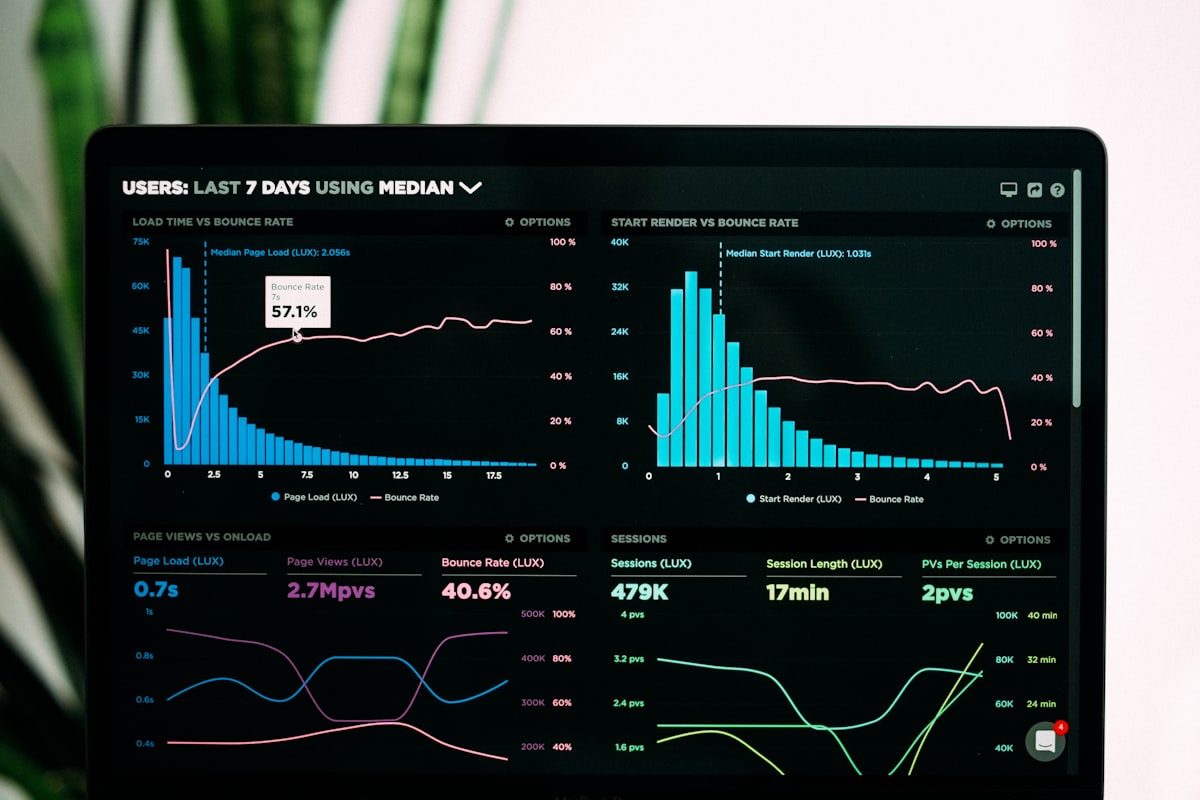
For longer engagements, a live consulting dashboard gives clients a real-time view of engagement progress between formal report cycles. This is not a replacement for structured reporting — it is a complement to it. Clients who can see current milestone status and recent updates on demand tend to send fewer "just checking in" emails, which reduces interruptions to the delivery team.
Dashboard automation pulls from the same data sources as your reports and updates on a defined schedule. The dashboard does not require a consultant's time to maintain once it is built and connected to your project data.
Choosing Which Data Sources to Connect
The most common data integrations for consulting reporting workflows include:
- Project management tools (Asana, Monday.com, Jira, Notion, ClickUp) — for task status, milestone tracking, and deliverable progress
- Spreadsheets (Google Sheets, Excel) — for financial tracking, KPI monitoring, and custom engagement data
- Communication tools (Slack, Microsoft Teams) — for collecting workstream updates via forms or prompts
- CRM systems — for client relationship data, contract milestones, and billing events
- Client-provided data sources — some engagements require pulling data from the client's own systems, which may involve scheduled exports or API access
Not every engagement will need all of these. The architecture should match the engagement. A two-month operational assessment has different reporting needs than an eighteen-month transformation program.
Maintaining the Human Judgment Layer
Automation handles the mechanical work. The consultant handles the judgment. That distinction matters and should be built into the workflow design.
A draft report generated by an AI workflow is not ready to send without review. The system does not know that the client's CFO is nervous about a specific workstream, or that a project delay has a political dimension that should be handled carefully in writing. The consultant brings that context to the review step.
Practically, this means the automation should surface the draft early enough that the consultant has real time to review it — not thirty minutes before the report is due. Build the schedule to include a review buffer. If the report goes to the client at 9 AM Friday, the draft should arrive in the consultant's queue by end of day Wednesday.
Over time, as you refine the templates and the AI's draft quality improves for your specific use cases, the review time typically decreases. But it should never be eliminated — the consultant's final read is the quality gate.
Common Pitfalls to Avoid
Over-automating the narrative. AI-generated text for internal data summaries is generally reliable. AI-generated narrative for sensitive client communications requires close review every time. Flag anything involving risk, scope change, or client relationship dynamics for extra scrutiny before it leaves your queue.
Insufficient template design upfront. The template is the foundation of the whole system. If it is vague or inconsistently structured, the automation will produce vague, inconsistent output. Invest time in defining the exact sections, the data fields each section draws from, and the format each element should take.
Ignoring data quality at the source. Automated reporting can only be as accurate as the underlying data. If your project tracker is not being kept up to date by the delivery team, the reports will reflect that. Automation makes poor data practices more visible, not less consequential.
Building for the average engagement, not the range. Your reporting workflow will eventually encounter an engagement that does not fit the template — an unusual client, an unconventional scope, a crisis situation. Build in the flexibility to override defaults without breaking the system for other clients.
Making the Investment Pay Off
The payoff from automating client reporting is not just time. It is capacity. A consulting practice that recovers meaningful hours per engagement per week can take on more clients, run leaner teams on each engagement, or both. The quality and consistency benefits also have a compounding effect on client retention: clients who receive timely, reliable, well-formatted updates are less likely to question engagement value when renewal conversations come around.
The right approach is incremental. Start with one reporting workflow, run it for a full engagement cycle, refine it based on what you learn, and then expand to other clients and other report types.
Ready to Streamline Your Reporting?
Intuitional helps consulting practices design and implement AI reporting workflows that reduce administrative overhead without compromising the quality or judgment that clients expect. Whether you are starting with weekly status reports or building a full engagement reporting suite, we work with your existing tools and processes. schedule a conversation about your workflow to discuss what automated reporting could look like for your practice.
Explore this topic further
Jump into the journal with one of the themes from this article.
Need clearer reporting and better operational signal?
We design dashboards, reporting layers, and decision-support systems that turn scattered data into usable visibility for the team running the work.